When your sales rep loses a six-figure deal because the call dropped at the wrong moment, the math on a cheap VoIP provider changes fast. Budget systems work fine for a five-person office on the same LAN. They fall apart when you have 30 people on four continents, home Wi-Fi, and customers who can hear the lag.
This is a buyer's guide for that exact situation. No vendor scoring matrix — just the questions that actually predict whether a phone system will hold up for a distributed team.
Latency is a routing problem, not a bandwidth problem
If your rep in Berlin calls a customer in Munich and the audio bounces through a US data center, you've already lost. That round trip adds 150–250ms of one-way latency before anyone says hello. Conversations get clipped, people talk over each other, and the call sounds "off" even when packet loss is zero.
What to ask a provider:
- Where are your media servers? You want regional points of presence in at least the US, EU, and APAC if your team spans those zones.
- Does media follow the user, or is it pinned to the account's home region?
- Can you show me a traceroute from a test endpoint in my user's city to the nearest media node?
Providers that can't answer these without escalating to engineering are telling you something. Backhauling everything to a single US hub is common with low-cost resellers because it's cheaper to operate — and it's exactly why their international calls sound bad.
Local presence numbers in every country you sell into
People answer local numbers. They don't answer +1 numbers from strangers. If you're selling into Germany, the UK, Australia, and Canada, you need DIDs that look local to the buyer.
The operational question isn't "can I buy a German number" — most providers can sell you one. The real questions:
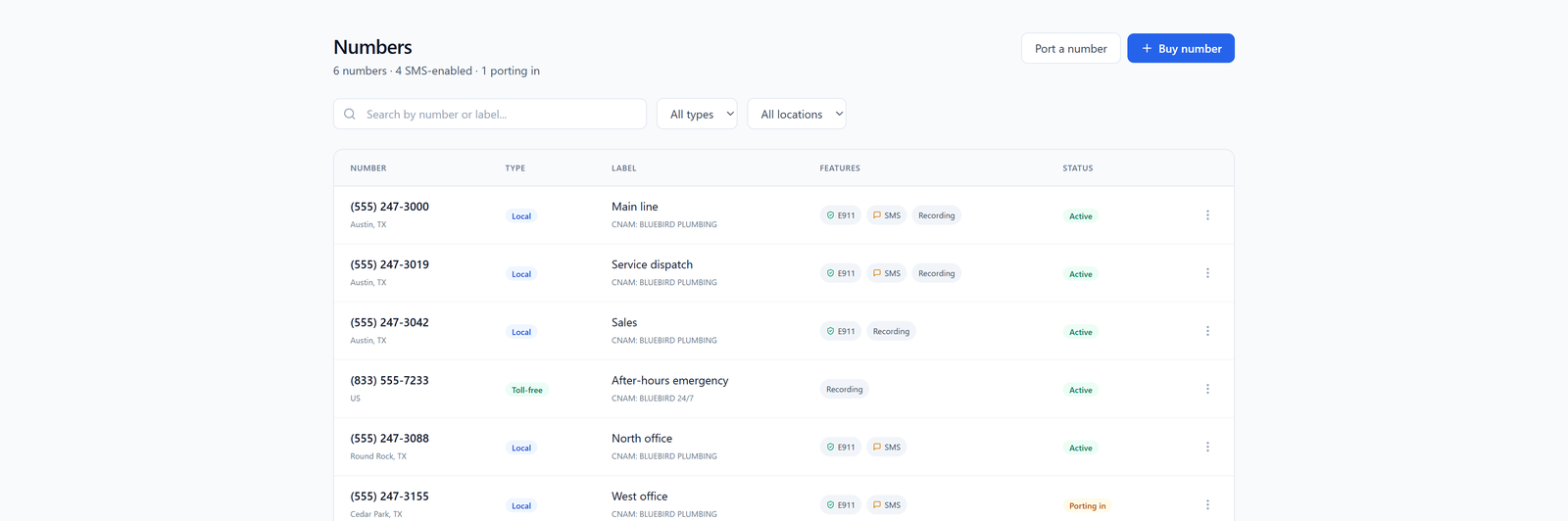
- Can you provision numbers yourself in a portal, or do you file a support ticket and wait?
- How are KYC and regulatory docs handled? Some countries (Germany, France, India, UAE) require local address proof. A good provider gives you a self-serve upload flow, not a ticket queue.
- What's the per-number monthly cost, and is there a porting path if you outgrow the provider?
If you're running enough volume that you need numbers in bulk, look at bulk DID pricing rather than buying one at a time at retail. A 30-person team selling internationally usually wants 20–50 DIDs across regions, and the math changes at that scale.
Codec, encryption, and the things providers don't put on the pricing page
This is the part most buyers skip and later regret.
Opus, not G.711
G.711 is the old PSTN codec. It works on clean networks. It falls apart on home Wi-Fi with jitter and intermittent packet loss — which is every remote worker's network. Opus was designed for the modern internet: variable bitrate, forward error correction, graceful degradation. If a provider can't tell you whether they negotiate Opus by default, assume they don't.
TLS for signaling, SRTP for media
Unencrypted SIP is still common. It shouldn't be. Without TLS, your call setup metadata (who called whom, when, from where) is readable by anyone on the path. Without SRTP, the audio itself is unencrypted. For a distributed team using home and coffee shop networks, that's not theoretical risk — it's the default state of the call.
Ask explicitly: "Is TLS 1.2+ required for SIP registration, and is SRTP enforced on the media stream?" If the answer is "supported," that means optional. You want enforced.
Softphones beat desk phones for remote staff
A desk phone in someone's home office is one more thing to misconfigure, one more firmware version to track, one more device that breaks when the user moves apartments. For 30 distributed people, a stable softphone on laptop and mobile is almost always the right answer.
What "stable" actually means:
- Reconnects automatically when the network flaps (every Wi-Fi network flaps)
- Survives the laptop going to sleep without requiring a manual re-login
- Handles inbound calls on mobile without a 4-second cold-start delay
- Has a desktop app, not just a browser tab that dies when Chrome updates
If you're coming from a hosted PBX and want a sense of what migration looks like, we wrote up moving from 3CX to a hosted phone system which covers a lot of the same softphone reliability ground.
CRM integration that updates call logs automatically
If reps have to manually log every call, half of them won't get logged. The deals you lose visibility on are the ones nobody wrote down.
Minimum bar: every inbound and outbound call creates an activity record in your CRM with the contact matched by phone number, the call duration, and a recording link if recording is on. That's it. Anything more sophisticated (click-to-dial, screen pops, dispositions) is nice but secondary.
What to verify in a demo:
- Native integration or Zapier/webhook? Native is more reliable.
- Does the contact match handle international number formats? +49 vs 0049 vs (49) breaks a lot of integrations.
- What happens to call logs during the provider's outage — queued and replayed, or lost?
What real support during an outage looks like
Every provider has 99.9% uptime on the sales page. That's about 8 hours of downtime a year, which is fine on paper and miserable in practice if it all happens during your Tuesday morning sales block.
The question isn't whether they'll have an outage. It's what happens when they do:
- Is there a public status page with real-time incident updates, or do you find out by guessing?
- Can you reach a human at 2 AM, or only a ticket form?
- Do they publish post-incident reports with root cause, or radio silence?
- Is there a failover path — can calls reroute to mobile numbers automatically if SIP registration drops?
A provider that won't talk about their last outage doesn't have a track record worth trusting. One that publishes detailed postmortems is telling you they take the problem seriously.
What to do next
Before you sign anything, run a two-week pilot with 3–5 of your users in different regions. Make actual customer calls. Track:
- Dropped call rate (target: under 0.5%)
- MOS score on international calls (target: 4.0+)
- Time-to-resolution on any support ticket you file during the trial
- Whether the softphone survives a full workday without a restart
If the provider won't give you a pilot, that's also an answer. For most distributed teams in the 10–50 person range, a flat-rate cloud phone with regional routing and self-serve DID management is the right shape — see our pricing for what that looks like in practice, or read up on building a softphone stack for distributed teams if you're earlier in the planning phase.
The cheap provider isn't actually cheap. It just moves the cost from your phone bill to your sales pipeline.