You have one main number. You have 50 people. When a customer calls, you want the phone to ring on every available cell at once — or in smart batches — and whoever grabs it first takes the call. No desk phones. No IT department.
This is a solved problem. It's also easy to get wrong. Here's the plain version.
What you're actually asking for
In plain terms, you want a ring group — one phone number that fans out to a list of people's cell phones. Some providers call it a hunt group. Same idea.
When a call comes in, the system does one of two things:
- Ring everyone at once. All 50 phones buzz. First person to swipe answer wins the call.
- Ring in order. It tries person 1, then person 2, then person 3, and so on until someone picks up.
For a team of 50, ringing all 50 at once is a bad idea. You'll annoy your team, your customers will hear long ring times, and half your staff will just ignore it because "someone else will get it." More on that in a minute.
Do you actually need desk phones? No.
Everyone on your team already has the piece of hardware they need: their smartphone. A good business phone system gives them an app on that phone. When your business number rings, the app rings — separate from their personal calls, with your business name on the screen so they know it's a customer.
They answer in the app. They can transfer. They can put someone on hold. They can see if a coworker is already on a call. If they miss it, it rolls to the next person or to voicemail — not to their personal voicemail where you'd never see it.
If you're just starting from scratch and want to see what this looks like in practice, our phone system overview walks through it.
Split your 50 people into smaller groups
Here's the mistake most owners make: they dump everyone into one giant pool and hope it works.
At 50 people, break your team down. A few ways to slice it:
- By role. Sales gets one group. Support gets another. Dispatch gets a third.
- By shift. Morning crew, afternoon crew, on-call.
- By skill or region. Spanish-speaking group. Northside crew. Enterprise accounts.
Then your main number sends the caller through a short menu ("Press 1 for sales, 2 for support") or routes based on time of day. Each smaller group might have 5–15 people in it. That's manageable. People know when it's their turn to answer.
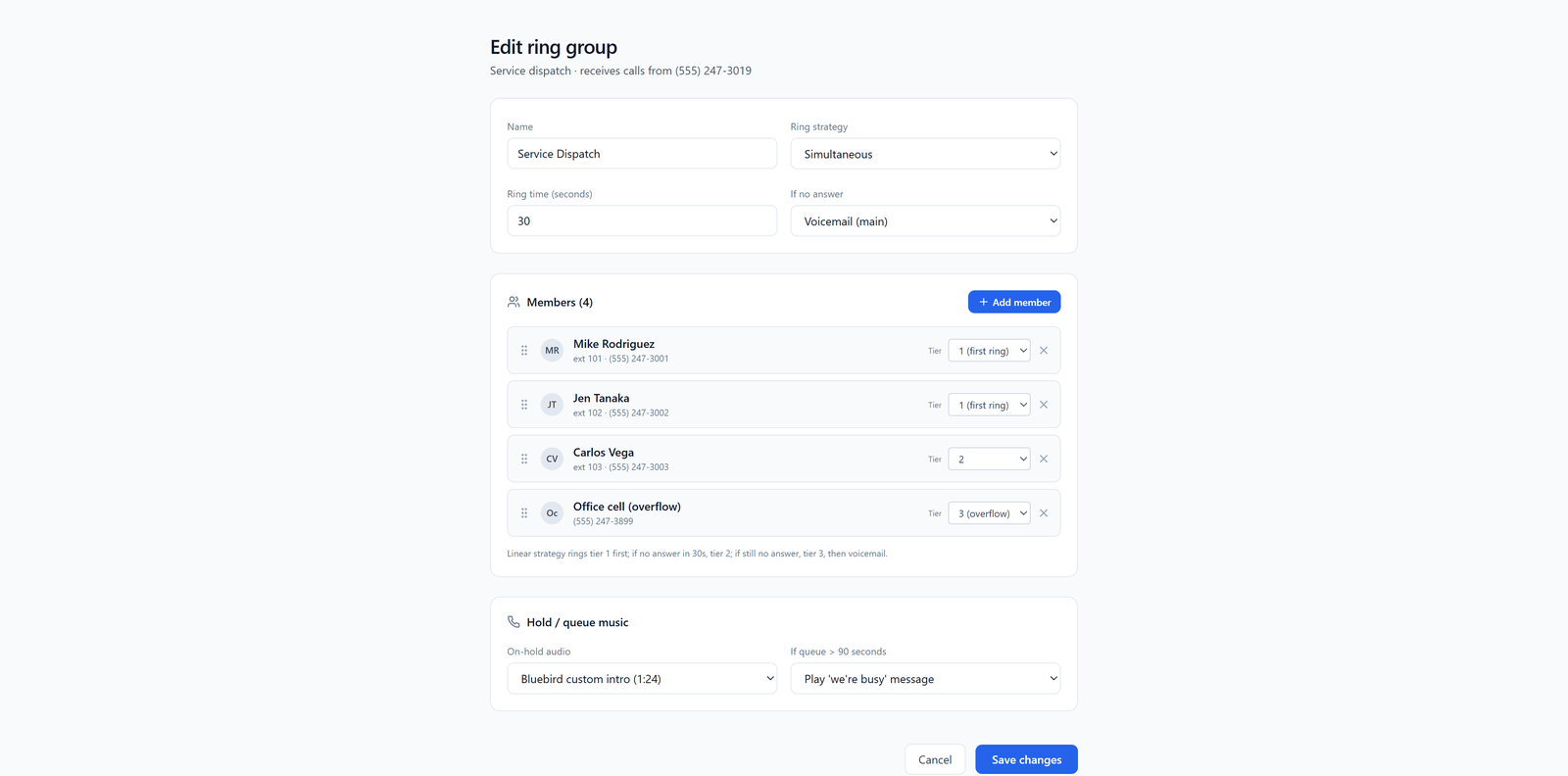
Small groups also fix the "bystander problem." If 50 phones ring, everyone assumes someone else will get it. If 6 phones ring, people answer.
Ring style matters more than you think
Inside each group, you have choices about how it rings:
- Simultaneous. Everyone in the group rings at once. Fastest pickup. Good for small groups (under 10).
- Round-robin. Rotates who gets the first ring. Fair distribution. Good if you're paying commission or tracking who's working.
- Longest idle. Rings whoever hasn't taken a call in the longest time. Balances the load automatically.
- In order (top-down). Always tries your best person first, then the next. Good for tiered support.
For most small businesses with mobile teams, longest-idle or round-robin inside groups of 5–10 people works best. Nobody gets slammed. Nobody coasts.
Queues: when everyone's busy
Ring groups handle the call when someone's free. Call queues handle it when nobody's free.
Say all six people in your dispatch group are on calls. Without a queue, the seventh caller gets voicemail — and you lose the job. With a queue, they hear a message ("All agents are busy, you're next in line"), maybe some hold music, and the call goes to the first person who hangs up. We wrote a whole piece on what missed calls actually cost a small business if you want the math.
When you're shopping providers, ask specifically:
- Can I see how many people are waiting in the queue right now?
- Can a customer get a callback instead of holding?
- Can I set a max wait time before it rolls to voicemail or a backup group?
What to actually look for in a provider
Here's your checklist. Ignore the feature lists on their websites. These are the things that break in real life:
1. The mobile app has to be good. Not "they have an app." Good. Ask for a free trial. Have three of your people install it. Make test calls. Does the app ring reliably when the phone is locked? Does it work on both iPhone and Android? Does it drain the battery? If the app is flaky, your whole operation is flaky.
2. Real transfer handling. Your team needs to transfer a customer to a specific coworker ("warm transfer") without dropping the call. Not every mobile app does this well.
3. Presence. Can Sara see that Mike is already on a call before she tries to transfer to him? This one detail saves hours.
4. Admin that a non-technical person can run. You should be able to add a new employee, drop them into a group, and remove them when they quit — in about two minutes, from a web browser.
5. Don't route to personal cell numbers as a shortcut. Some providers will just forward your business number to a list of personal cells. This sounds simple. It's a mess. You lose call recording. You lose caller ID (your team can't tell business from personal). You can't easily remove someone when they leave. Use the app on their phone instead — here's why that matters.
What it costs
Most business phone providers charge per user per month. For 50 people, expect somewhere between $15 and $30 per person, per month, depending on features. That's $750 to $1,500 a month all-in for the whole team.
Watch out for:
- Extra charges for queues or call recording
- Per-minute fees on top of the monthly seat cost
- Setup fees for porting your existing number over
Our pricing page lays ours out plainly. Whoever you go with, get the full cost in writing before you sign.
What to do next
Start small. Pick a provider. Sign up for a trial with 3–5 seats. Set up one ring group with your most reliable people. Route your main number to it for a week. See what breaks.
Then split into more groups and add the rest of the team. Trying to configure all 50 people on day one is how you end up hating your phone system. Roll it out in waves and let your people tell you what's not working.
One number, ringing the right cell phones, with the first available person answering — that's the whole job. Don't let anyone sell you more than that.