You're about to hand out your cell number on a flyer. Stop. Once it's out there, it's out there — on lead lists, in group texts from strangers, ringing at 9pm on a Sunday. There's a better way, and you don't need to carry a second phone to do it.
Why your personal number is the wrong answer
Giving customers your personal number feels free and easy on day one. It costs you later.
Here's what actually happens:
- A customer texts you Saturday night about a Monday appointment. You see it. Now you're working.
- You sell the business in five years. The number goes with you, or you lose every customer who has it saved.
- A rough customer leaves a one-star review and starts calling at midnight. That's your family's phone.
- You hire your husband or a part-timer. They can't answer the line because the line is literally your phone.
A separate business number fixes all of that. And it doesn't mean a second device in your pocket.
How a second number rings on the phone you already own
This is the part most owners don't realize. You can get a real business phone number — area code of your choice, takes calls and texts — and have it ring through an app on the phone you already use. No second SIM. No second bill from your cell carrier. No second device.
The technical name is a cloud phone line (a phone number that lives on the internet, not a wire). When someone dials it, the call comes into an app on your phone and rings. You answer. They hear you. They have no idea you're standing in your kitchen.
We wrote a longer walkthrough on how a business number rings on your cell if you want the step-by-step.
What you get out of the box
- A dedicated number customers see on caller ID
- An app that rings when that number is called
- Voicemail that emails or texts you the message
- The ability to send and receive texts from that business number
- A separate ringtone so you know it's work before you pick up
What it actually costs
Let's be honest about money, because a lot of "business phone" pitches dance around it.
A basic cloud business line runs roughly $10–$25 per month per user depending on the provider and what's bundled. That usually includes the number, unlimited calls in the US, voicemail, and texting. Compare that to a second cell plan at $40–$60/month plus a device, and the math is obvious.
You can see our plans on the pricing page — it's the same ballpark.
One more thing: it's a deductible business expense. Your accountant will be happier than they are about your mixed-use cell bill.
The evening-and-weekend problem
This is the part nobody warns you about until it's too late.
When your business number is separate, you can:
- Turn off notifications for that line after 6pm
- Send after-hours calls to voicemail with a greeting that says "we'll call you back Monday"
- Forward to your husband on the weekends he's covering
- Set up an auto-text reply so the customer isn't left hanging
With one phone for everything, you can't do any of that without also missing your kid's school nurse.
We've got a piece on auto-texting missed calls that's worth reading once you've got the line set up. A missed call with a friendly text reply converts way better than a missed call with nothing.
When it's just you — and when it's you plus one
Right now you're solo. Here's what most solo owners want on day one:
- One business number
- Rings your cell via the app
- Voicemail-to-email
- Texting from the business number
- An after-hours greeting
That's it. Don't overbuy.
When your husband joins — or you hire a part-time helper — you want the line to ring both of you at the same time, or one then the other if the first doesn't answer. That's called a ring group, and it's a checkbox, not a project. Same number, two people, whoever grabs it first wins.
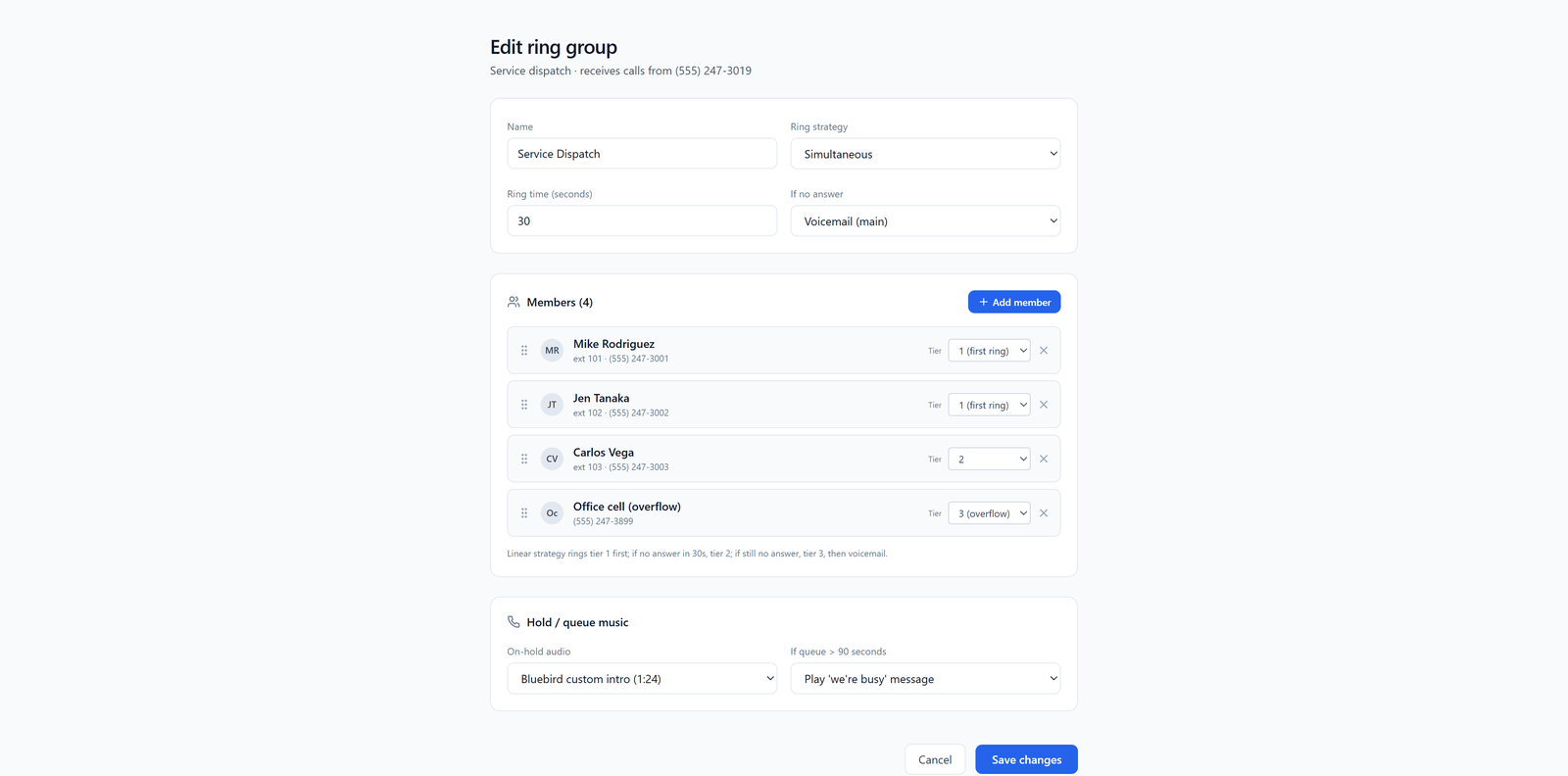
You don't need this on day one. But knowing it's there means you don't have to switch systems when you grow.
What about texting?
Customers text. A lot. If you give out your personal cell, you're going to get texts there too, and they'll bury your family group chat.
A business number can send and receive texts independently. Appointment confirmations, "running 10 minutes late," quote follow-ups — all from a number that isn't your personal one. There's a heads-up though: business texting in the US now requires a quick registration step (it's called 10DLC) before you can send. Most providers walk you through it; it takes a few days. We cover it in the business SMS guide if you want the details.
If you're comparing the obvious names — Google Voice, OpenPhone, Grasshopper — we did a side-by-side for solo owners that's worth a skim.
What to do this week
Here's the short list:
- Pick an area code. Local to your customers, not necessarily where you live.
- Sign up for a cloud business line. Budget $15–$25/month.
- Install the app on the phone you already have. Different ringtone so you can tell work from personal.
- Record a voicemail greeting with your business name and hours.
- Set after-hours rules — send calls to voicemail nights and Sundays.
- Use the new number on every business listing: Google Business Profile, website, invoices, business cards, email signature.
That's a one-evening project. And the day you sell the business, or hire your first employee, or just want to take a Saturday off — you'll be glad you did it now instead of after the number was on 4,000 invoices.
Your personal number is for your family. Give your business its own.